
Piano Fire: Edm Music & Piano
Adaric MusicMusic
4.65.84K Reviews
- Version
- 10.0.258
- Installs
- 100.00M
- Age Rating
- Teen
Screenshots
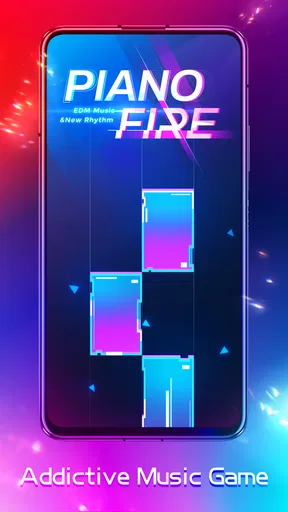
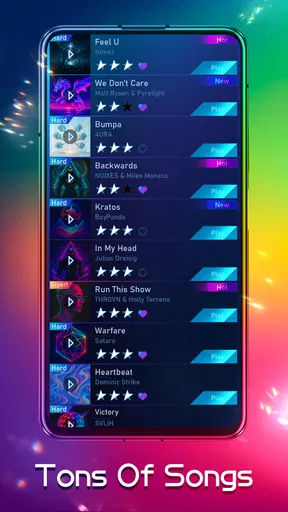
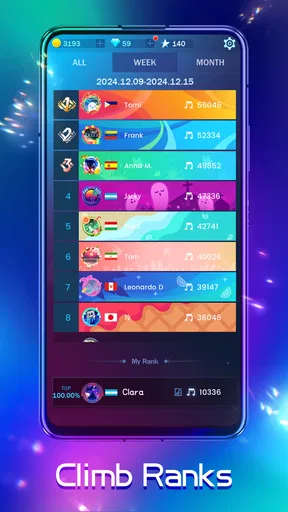



Our Review of Piano Fire: Edm Music & Piano
 Analysis by Appyee
I tend to reach for a music game when I have a few spare minutes but don’t want to commit to a long session or learn a complicated control scheme. Piano Fire: Edm Music & Piano fits that quick-play mood: its appeal is built around matching taps to music, with the familiar piano-tile idea given an electronic, neon-lit feel. It’s easy to understand at a glance, though getting comfortable with its quicker passages takes more attention than the simple premise might suggest.
Engaging Gameplay
The first thing that struck me about Piano Fire: Edm Music & Piano is its simple yet highly addictive gameplay. The interface is pretty intuitive, and trust me, you don’t need to be a concert pianist to get the hang of it. You just tap on the tiles as they scroll down your screen in sync with the beat. Miss a note? No worries, you can jump right back in without missing a beat—literally.
What makes it even more exciting is the game’s pace. The further you progress, the faster and more challenging it becomes. It’s like a dance party for your fingers and, honestly, a great way to test your reflexes. Just make sure you don’t get too caught up in the groove and end up missing your bus stop!
How the Rhythm Feels in Practice
The central skill here is reading the incoming pattern while listening for the beat, rather than tapping freely as if the screen were a piano keyboard. That distinction matters: this is a reflex game with musical timing, not a lesson in playing piano or a tool for practicing scales. I find it works best when I focus on the next few tiles instead of trying to anticipate an entire sequence. Staring too far ahead can make a quick change feel harder than it is.
For a more comfortable first session, I’d start somewhere quiet and keep the phone steady. On a crowded commute, movement and surrounding noise can make it harder to stay in time, even if the controls themselves are straightforward. A short session also gives you a chance to learn how the game feels before speed becomes the main challenge. If your goal is to relax rather than chase a score, stopping after a few rounds is a sensible way to keep the music enjoyable instead of turning every track into a test.
Awesome Music Selection
The music selection is where this app truly shines. It’s packed with a variety of EDM tracks blended with classic piano pieces that keep you coming back for more. The combination is surprisingly refreshing. I found myself not only tapping along but also discovering new tracks that I’d never heard before. Plus, the app keeps updating its library, so there’s always something new to look forward to.
One of my favorite tracks to play has been a remix of Beethoven’s classics. It’s a whole new way to enjoy the masterpieces we all know and love, and you get to feel like a musical maestro, even if just for a few minutes.
Picking Tracks for the Moment
The range gives the game more than one kind of appeal. If I want a lively burst of energy, an electronic track suits that mood; when I want a recognizable melody with a different pulse, a classical remix offers a welcome change. I wouldn’t treat the selection as a replacement for a music player, though. Here, the track is part of a challenge, and attention is split between hearing the music and watching the tiles. People who mainly want to sit back and listen may be happier using a regular streaming or music app.
A useful habit is to choose a song based on how much focus you have, not just which one you like best. A familiar melody can make the pattern feel easier to follow, while a busier or less familiar track may demand more concentration. That gives me a practical way to fit the game into different breaks: pick something comfortable when I’m tired, and save the more demanding run for when I can pay attention.
Visually Stunning
Okay, let’s talk visuals. The neon and vibrant color scheme really makes the game pop. There’s something about those glowing tiles that’s just so satisfying. The graphics are smooth, and the animations are sleek, which adds to the overall experience. It’s like having your own mini light show right in the palm of your hand.
The bright presentation is part of the fun, but it won’t suit everyone equally. If you prefer a calm, understated screen, the colorful effects may feel busy during a difficult section, when the tiles already need your full attention. I’d think of the look as a deliberate part of the game’s energetic character rather than decoration that disappears into the background. The trade-off is clear: visual flair adds atmosphere, while a less distracting presentation might be better for someone who wants to concentrate only on timing.
Perfect for On-the-Go
The app is perfect for those quick gaming sessions whether you’re waiting in line, commuting, or just chilling at home. It doesn’t require an internet connection to play, which is a huge plus for those times when your Wi-Fi decides to take a day off. And let’s be real, who doesn’t love a game that respects your data plan?
My realistic use case is a short wait before an appointment: I can open the game, play a track or two, and put the phone away without needing to settle in for a long session. It also suits a quiet break at home when I want something more active than listening to music but less involved than a lengthy rhythm-game run. I’d be more cautious about playing while walking or in a situation where I need to watch what’s happening around me; timed taps demand attention, and a phone screen can easily pull it away from the real world.
Offline play is particularly handy for places where a connection is unreliable, but I’d still avoid assuming that every surrounding feature behaves the same way without internet. For the basic appeal—tapping along to a song—the ability to play offline makes the game easier to fit into a day. If you’re planning to choose tracks or explore anything beyond a quick round, it’s sensible to do that before heading somewhere with a poor signal.
Customization and Personal Touch
Another neat feature is the ability to customize your own playlist. You can pick your favorite tracks and make your own personal hit list. Plus, you can switch up the tile styles to match your mood. Feeling like a rockstar today? Go for it. Want something a bit more classical? You got it. It’s those little touches that make the game feel personal and keeps you engaged.
That playlist option is useful when I don’t want to browse for a song every time I open the game. I can keep a small group of preferred tracks together for quick sessions, then change the selection when I want a different mood. The practical trade-off is that choosing songs and styles is a separate bit of setup; if I only have a minute, I’d rather decide what I want to play beforehand than spend the whole break customizing. Tile styles make the screen feel more personal, but the music and timing remain the main reasons to return.
Who It Suits—and Who May Want Something Else
I’d recommend it to someone who enjoys music-led arcade games, likes short challenges, and wants a low-barrier way to test their timing. You don’t need piano experience, and the mix of electronic energy and classical melodies gives it a different flavor from a plain tapping game. It can also work for someone who already enjoys piano-tile games and wants another take on that familiar format.
On the other hand, I wouldn’t choose it as a first stop for learning an instrument, improving formal music skills, or listening to albums without interruption. A dedicated rhythm game with more emphasis on structured play may suit players looking for deeper long-term challenge, while a piano-learning app is the better fit for lessons and technique. Compared with a typical casual puzzle game, Piano Fire asks for more attention to sound and timing; compared with a full rhythm-game setup, its appeal is the quick, accessible phone experience rather than a claim to be a comprehensive music practice system.
There is also a difference between a game being easy to start and being effortless to master. The first few taps are intuitive, but rising pace can make repeated play demanding, especially if you’re tired or playing on a small screen. If fast visual tracking frustrates you, or you want a game that lets you pause mentally while still progressing, this may not be your best match. I’d try it for the music-and-reflex combination, not because every session will feel calm.
Current State and What Its Version Tells Me
Adaric Music is the developer behind this free music game, which sits in the music category and is rated for Teen audiences. It has a 4.6 average from around 725,000 ratings, with more than 100 million installs, so it has clearly found a large audience for this style of play. Those figures tell me it is established, but they don’t guarantee that every song or visual choice will suit an individual player.
The game was released on September 18, 2020, and its current version is 1.0.233. That gives existing players a useful reference point for the product they are downloading, but it doesn’t by itself explain what changed between versions. I wouldn’t infer a specific new feature or overhaul from the version number alone. For someone returning after a break, the most practical approach is to open the current build and check how the available tracks and personalization options fit their tastes, rather than expecting a particular change just because the version has advanced.
For a new player, the age rating and the presence of optional in-app purchases are worth knowing before handing over a device. The game is free to start, while purchases are offered in the range of $0.99 to $9.99 per item. I’d treat spending as optional and decide on a limit before exploring purchase prompts, especially if a younger player will use the phone. The core question is whether the free experience’s music and tapping loop are enjoyable; paying makes sense only if an offered item feels worthwhile to you.
What to Keep in Mind Before Downloading
One common question is whether this is a piano-learning game. In my view, no: the piano theme and melodies are part of an arcade rhythm experience, and the game is about responding to on-screen notes in time. It can make music feel interactive, but I wouldn’t use it as a substitute for lessons or expect it to teach keyboard technique.
Another practical question is whether it works for a quick offline break. The game can be played without an internet connection, which makes it convenient when Wi-Fi is unavailable. For a predictable experience, I’d prepare my preferred tracks while connected and then use the offline option for simple play during a commute or wait. That workflow avoids making a short break depend on browsing or a stable connection.
On supported devices, the listed minimum operating system is Android 6.0. If you’re choosing between this and another music game, I’d decide based on what you want from the session: recognizable tunes and accessible tapping favor this one, while deeper training or a more demanding rhythm challenge points toward a different kind of app. The game is free with optional purchases, so I’d first see whether its pace and track selection keep me interested before spending anything.
Final Thoughts
All in all, Piano Fire: Edm Music & Piano is more than just a game; it’s a musical experience. Whether you’re a fan of EDM, classical music, or just looking for a fun way to pass the time, this app hits all the right notes. It’s addictive, visually appealing, and has a killer soundtrack that’ll keep your fingers dancing and your ears happy.
So, if you’re up for a musical challenge that combines the best of both worlds, give it a shot. You might just find yourself losing track of time as you aim for that high score. Happy tapping!
Privacy and Permissions
See what permissions an app requests and how it handles your data.
- Phone
- read phone status and identity
- Photos/Media/Files
- read the contents of your USB storage, modify or delete the contents of your USB storage
- Storage
- read the contents of your USB storage, modify or delete the contents of your USB storage
- Wi-Fi connection information
- view Wi-Fi connections
- Device ID & call information
- read phone status and identity
- Other
- view network connections, full network access, control vibration, prevent device from sleeping, Google Play license check
Verdict
Strengths of Piano Fire: Edm Music & Piano
- Engaging gameplay with vibrant visuals.
- Regular updates with new songs.
- Easy to learn, challenging to master.
- Smooth performance with low latency.
- Variety of music genres available.
Limitations of Piano Fire: Edm Music & Piano
- Ads can be disruptive during gameplay.
- Limited offline features.
- In-app purchases can be expensive.
- Occasional crashes on older devices.
- Some songs require high difficulty.
Other Releases by Adaric Music
View All
Piano Fire 2: Slide Challenge
Music4.6

Beat Fire - Edm Gun Music Game
Music4.1
Similar Picks in This Category
View All
Tiles Hop Music & Ball Game
AMANOTES PTE. LTD.4.3

Magic Tiles 3™ - Piano Game
AMANOTES PTE. LTD.4.6

Real Piano
Bilkon3.7

Piano Game: Classic Music Song
Dream Tiles Piano Game Studio4.0

Smash Colors: Music Ball Rush
BADSNOWBALL HONGKONG LIMITED4.2

Piano Music Go-EDM Piano Games
Joy Journey Music Games4.5
Frequently Asked Questions
What is Piano Fire: Edm Music & Piano?
Piano Fire: Edm Music & Piano is a rhythm-based music game that blends piano and electronic dance music (EDM) elements. Players tap on tiles in time with the music, creating a dynamic and engaging experience. It’s designed to test reflexes and rhythm skills while providing a fun and immersive musical journey.
How do I play Piano Fire: Edm Music & Piano?
To play Piano Fire, you simply tap on the falling tiles as they align with the rhythm of the music. The game features various levels and songs, gradually increasing in difficulty. Accurate timing is crucial, as missing tiles or tapping incorrectly can end the game, challenging players to improve their skills.
Is Piano Fire: Edm Music & Piano free to download?
Yes, Piano Fire: Edm Music & Piano is free to download on both Android and iOS platforms. However, it offers in-app purchases for additional features, such as unlocking premium songs or removing advertisements. These purchases can enhance your gaming experience, though they are optional.
Can I play Piano Fire: Edm Music & Piano offline?
Piano Fire: Edm Music & Piano requires an internet connection to download new songs and updates. However, once songs are downloaded, you can play them offline. This feature makes it convenient for users who want to enjoy the game without constant internet access, especially while traveling.
What are the system requirements for Piano Fire: Edm Music & Piano?
Piano Fire: Edm Music & Piano is compatible with most modern Android and iOS devices. For optimal performance, it is recommended to have an Android device running version 4.4 or higher, or an iOS device with iOS 9.0 or later. Ensure your device has sufficient storage for smooth gameplay.
Play our best games!


